Getting Started
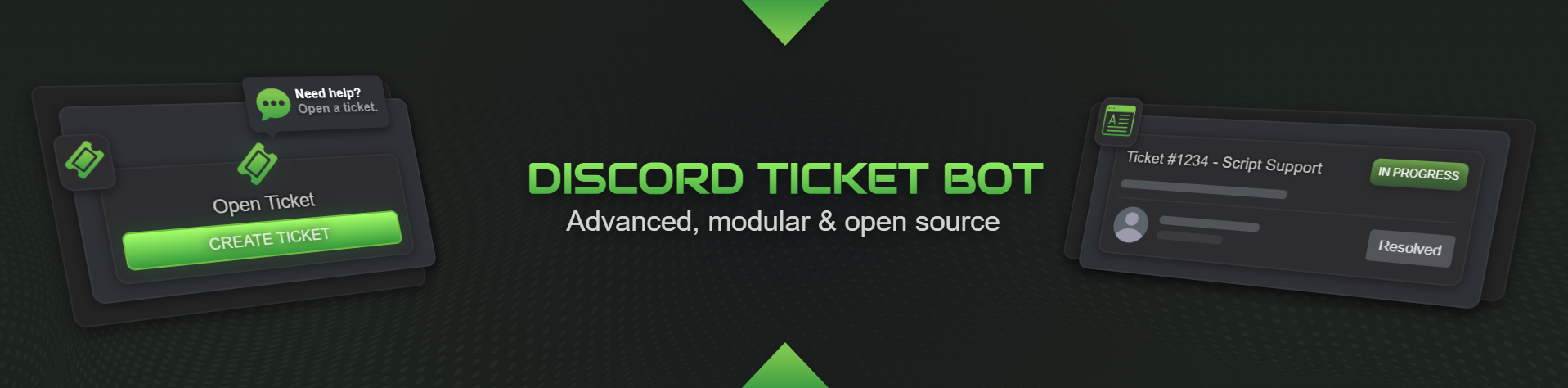
A modern, self-hosted Discord ticket bot built on Discord.js v14 — SQLite out of the box (no external database required), with optional MySQL/MariaDB and PostgreSQL support. No telemetry, full feature set out of the box.
License: AGPL-3.0 · Node.js 22+ · Discord.js v14 · Docs: docu.msk-scripts.de
✨ Features
| Feature | Description |
|---|---|
| 🎫 Ticket Types | Up to 25 configurable types with individual emoji, color, category & questions |
| 📋 Questionnaires | Modal forms (up to 5 questions) shown when opening a ticket |
| 🙋 Claim System | Staff can claim/unclaim — button toggles, embed & topic update automatically |
| 🔴 Priorities | Low / Medium / High / Urgent — predefined per ticket type or set via /priority, shown in channel topic & embed |
| 📝 Staff Notes | Private notes via /note add / /note list |
| 🔀 Move Ticket | Move to a different type/category via /move or button (staff only) |
| 🛡️ Type-specific Staff Roles | Each ticket type can define its own staff roles |
| 🖼️ Panel Logo & Banner | Optional logo thumbnail and/or banner image in the panel embed |
| 🎛️ Panel Interaction Type | Choose between a Button or a direct Select Menu in the panel |
| ⭐ Rating System | 1–5 star feedback after closing, automatically posted to a configured channel |
| ⏰ Staff Reminder | Automatic ping inside the ticket if no staff responds within X hours |
| ⏰ Auto-Close | Automatically close inactive tickets with a configurable warning period |
| ♻️ Reopen Tickets | Reopen a closed ticket via the ♻️ button or /reopen — configurable, restores access & moves it back |
| 🔗 Transcript Links | Transcripts stored online and accessible via a public link |
| 📄 HTML Transcript | Self-contained HTML transcript in a modern or classic style — avatars & custom emojis embedded as Base64, mentions and Created/Claimed/Closed-by shown as names, no CDN required |
| 🌐 Custom Domain | Premium users can serve transcripts under their own domain |
| 📊 Statistics | Server-wide stats and detailed per-user stats via /stats |
| 🚫 Blacklist | /blacklist add/remove/list to block users from opening tickets |
| 💬 Canned Responses | Pre-defined snippets sent with one command — configured in snippets.jsonc |
| 🔒 Ticket Lock | Lock/unlock a ticket to prevent the user from sending messages |
| 📢 Broadcast | Send a message to all open ticket channels at once |
| 🔔 User Notifications | Optional DM notification for users when a staff member replies |
| 🎮 Dynamic Bot Status | Automatically display the number of open tickets in the bot status |
| 🌍 Multilingual | 7 languages included (English, German, French, Spanish, Portuguese, Polish, Hungarian), easily extensible |
| 🗄️ Flexible Database | SQLite out of the box (zero setup) — optional MySQL/MariaDB or PostgreSQL via DATABASE_URL, with a migration script |
| 🔄 Auto-Update Check | Checks for new GitHub releases on startup and notifies with update instructions |
| 🖥️ Web Dashboard | Optional self-hosted browser dashboard (off by default): tickets, statistics, a form/file config editor, bot control and per-role/user permissions. See Web Dashboard. |
🔗 MSK Transcript Service
Instead of sending transcripts as file attachments via DM, the bot can upload them to www.msk-scripts.de and generate a public link — accessible in any browser, no download required.
Three tiers are available: Basic (free), Premium (€3.99/mo) and Premium+ (€6.99/mo). Paid tiers add larger transcripts and file attachments, longer storage, a custom domain and hosted bot management. Premium is subscribed via Stripe with a 14-day free trial.
To get started, grab your API key at www.msk-scripts.de/verify (sign in with Discord, pick your server) and add it to your .env:
MSK_API_KEY='your_api_key_here'
MSK_API_URL="https://www.msk-scripts.de"
📖 Full walkthrough (tier comparison, API key, custom domain, Stripe): Service Setup
🖥️ Hosted Bot Management (Premium & Premium+)
Premium and Premium+ customers can have their bot instance fully hosted by MSK Scripts and manage it entirely from the dashboard at msk-scripts.de/dashboard — config editor, start/stop/restart/update and a live log console, no SSH access or server knowledge required.
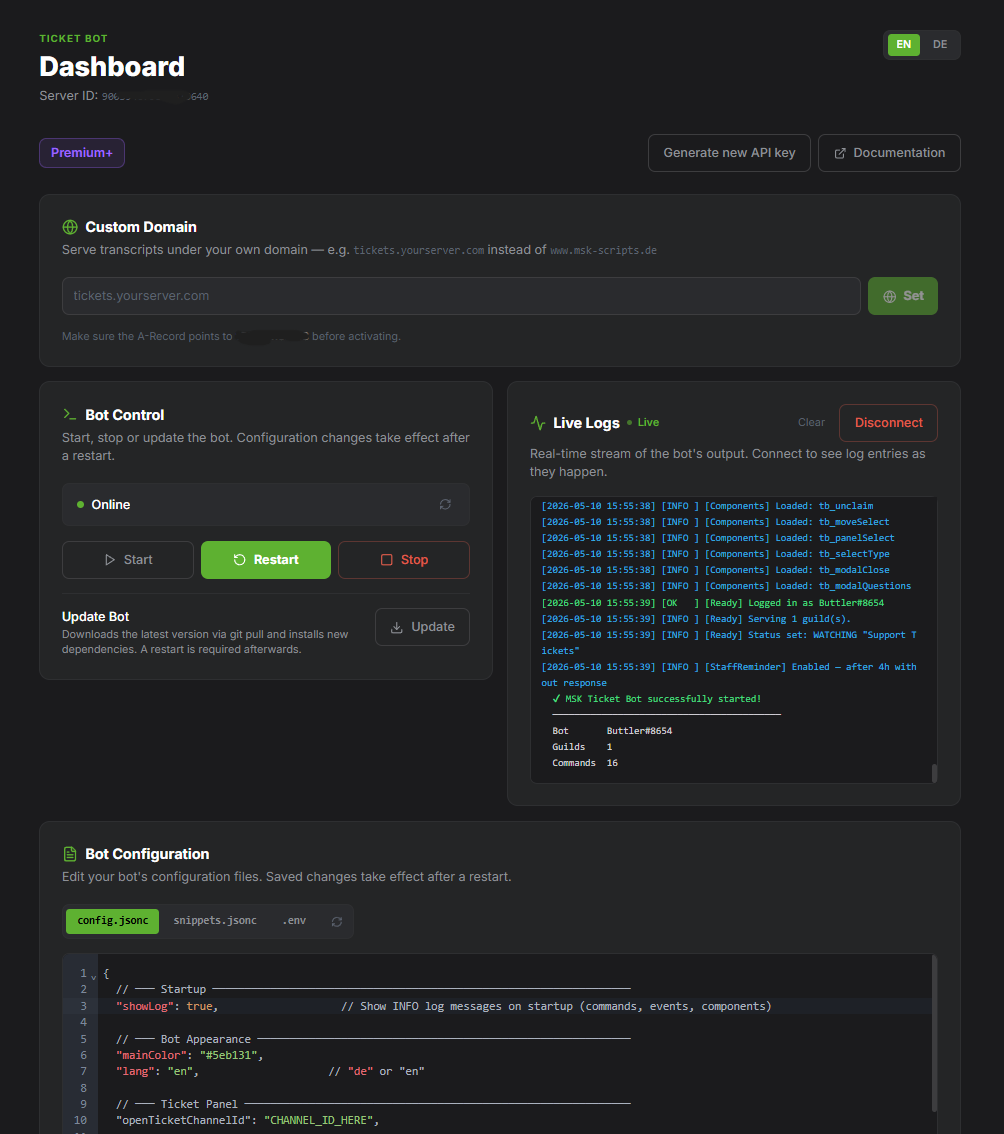
Contact MSK Scripts via Discord to arrange a hosted plan. Once set up, the management panel appears automatically in your dashboard after logging in.
📖 Details: Service Setup → Hosted Bot Management
🖥️ Self-Hosted Web Dashboard
Running the bot yourself? The optional web dashboard lets you manage tickets, statistics, the configuration and the bot process from your browser, with a permission model for your team. It is disabled by default and safe out of the box.
See the dedicated Web Dashboard page for setup, security and the full permission model.
📁 Project Structure
discord_ticketbot/
├── index.js                    # Entry point
├── package.json
├── .env.example                # Environment variable template
├── ticketbot.service           # systemd unit file for Linux servers
├── assets/                     # Static files (logo, banner images)
│   ├── logo.png                # Panel logo thumbnail (place your own here)
│   └── banner.png              # Panel banner image (place your own here)
├── config/
│   ├── config.example.jsonc    # Configuration template (with comments)
│   └── snippets.example.jsonc  # Canned responses template
├── docs/
│   ├── setup-en.md             # MSK Transcript Service setup guide (English)
│   └── setup-de.md             # MSK Transcript Service setup guide (German)
├── locales/                    # 7 languages + main.json (English template)
│   ├── en.json                 # English
│   ├── de.json                 # German
│   └── …                       # fr, es, pt, pl, hu
├── scripts/
│   └── migrate-db.js           # npm run db:migrate — SQLite → MySQL/PostgreSQL
├── data/
│   └── tickets.db              # SQLite database (auto-created; default backend)
└── src/
    ├── client.js               # Extended Discord Client
    ├── config.js               # Config loader & validation
    ├── database/               # Engine-agnostic DB layer (SQLite/MySQL/PostgreSQL)
    │   ├── index.js            # Public async API + all queries
    │   ├── url.js              # DATABASE_URL parsing → driver selection
    │   ├── schema.js           # Per-dialect schema + migrations
    │   └── drivers/            # sqlite.js / mysql.js / postgres.js
    ├── handlers/
    │   ├── commandHandler.js   # Loads & registers slash commands
    │   ├── eventHandler.js     # Loads Discord events
    │   └── componentHandler.js # Loads buttons, modals, menus
    ├── commands/               # Slash commands
    │   ├── setup.js            # /setup      – Send panel
    │   ├── close.js            # /close      – Close ticket
    │   ├── reopen.js           # /reopen     – Reopen a closed ticket
    │   ├── add.js              # /add        – Add user
    │   ├── remove.js           # /remove     – Remove user
    │   ├── claim.js            # /claim      – Claim ticket
    │   ├── unclaim.js          # /unclaim    – Unclaim ticket
    │   ├── move.js             # /move       – Move ticket
    │   ├── rename.js           # /rename     – Rename channel
    │   ├── transcript.js       # /transcript – Generate HTML transcript
    │   ├── priority.js         # /priority   – Set priority (topic + embed)
    │   ├── note.js             # /note       – Staff notes
    │   ├── blacklist.js        # /blacklist  – Block users
    │   ├── stats.js            # /stats      – Statistics (server & user)
    │   ├── snippet.js          # /snippet    – Send canned responses
    │   ├── broadcast.js        # /broadcast  – Send to all open tickets
    │   ├── lock.js             # /lock       – Lock/unlock ticket
    │   └── autoclose.js        # /autoclose  – Pause/resume inactivity handling
    ├── events/
    │   ├── ready.js            # Bot start, status, auto-close & staff reminder loop
    │   ├── messageCreate.js    # Activity tracking + DM notifications
    │   └── interactionCreate.js # Route all interactions
    ├── components/
    │   ├── buttons/
    │   │   ├── openTicket.js       # tb_open
    │   │   ├── closeTicket.js      # tb_close
    │   │   ├── claimTicket.js      # tb_claim
    │   │   ├── unclaimTicket.js    # tb_unclaim
    │   │   ├── moveTicket.js       # tb_move
    │   │   ├── deleteTicket.js     # tb_delete
    │   │   ├── deleteConfirm.js    # tb_deleteConfirm
    │   │   ├── deleteCancel.js     # tb_deleteCancel
    │   │   ├── reopenTicket.js     # tb_reopen
    │   │   ├── rateTicket.js       # tb_rate:N:id
    │   │   └── notifyToggle.js     # tb_notifyToggle
    │   ├── modals/
    │   │   ├── closeReason.js      # tb_modalClose
    │   │   ├── ticketQuestions.js  # tb_modalQuestions:type
    │   │   └── rateComment.js      # tb_modalRate:N:id
    │   └── menus/
    │       ├── panelSelect.js      # tb_panelSelect
    │       ├── ticketType.js       # tb_selectType
    │       └── moveSelect.js       # tb_moveSelect
    └── utils/
        ├── logger.js           # Coloured console logger
        ├── embeds.js           # All embed constructors
        ├── transcript.js       # Self-contained HTML (avatars embedded as Base64)
        ├── mskApi.js           # MSK Transcript Service API client
        ├── ticketActions.js    # Core logic: openTicket, performClose, performReopen, performMove
        ├── versionCheck.js     # Startup update check against GitHub releases
        └── snippets.js         # Snippet loader & placeholder engine
⚙️ Slash Commands
| Command | Permission | Description |
|---|---|---|
/setup | Administrator | Send the ticket panel |
/close [reason] | Configurable | Close the current ticket |
/reopen | Configurable | Reopen a closed ticket — restores access & moves it back |
/claim | Staff | Claim a ticket — updates topic & embed, button toggles to Unclaim |
/unclaim | Staff | Release a claimed ticket — updates topic & embed, button toggles back |
/move | Staff | Move ticket to a different type/category |
/add <user> | Staff | Add a user to the ticket |
/remove <user> | Staff | Remove a user from the ticket |
/rename <name> | Staff | Rename the ticket channel |
/transcript | Staff | Generate an HTML transcript |
/priority <level> | Staff | Set ticket priority (updates channel topic & embed) |
/note add <text> | Staff | Add a staff note |
/note list | Staff | List all notes for this ticket |
/stats | Staff | Server-wide ticket statistics |
/stats @user | Staff | Detailed statistics for a specific user |
/blacklist add | Manage Guild | Block a user |
/blacklist remove | Manage Guild | Unblock a user |
/blacklist list | Manage Guild | Show the blacklist |
/snippet send <name> | Staff | Send a canned response into the ticket |
/snippet list | Staff | Show all available snippets |
/lock lock [reason] | Staff | Lock ticket — user cannot send messages |
/lock unlock | Staff | Unlock ticket — restore user message access |
/autoclose pause | Staff | Pause the inactivity warning, auto-closing and staff reminder for this ticket |
/autoclose resume | Staff | Resume the normal inactivity rules for this ticket |
/broadcast <message> | Staff | Send a message to all open ticket channels |
🔘 Ticket Buttons
Every ticket channel contains a button row at the top:
| Button | Visible when | Description |
|---|---|---|
| 🔒 Close Ticket | Always (configurable) | Disables all buttons, generates transcript, closes & renames channel |
| 🙋 Claim | claimButton: true, not yet claimed | Staff claims — topic & embed update, button becomes Unclaim |
| 🙌 Unclaim | claimButton: true, already claimed | Staff releases — topic & embed update, button becomes Claim |
| 🔀 Move | More than 1 ticket type configured | Staff opens type selection (staff only) |
| 🗑️ Delete Ticket | After closing | Deletes the channel after confirmation |
| ♻️ Reopen | After closing (reopenOption.enabled) | Reopens the ticket — restores access & moves it back to its category |
| 🔕 Notify me | userNotifications.enabled: true | User opts in to DM notifications when a staff member replies |
🗄️ Database Schema
The database is created automatically. By default this is a local SQLite file
(data/tickets.db); set DATABASE_URL to use MySQL/MariaDB or PostgreSQL instead
(see Database). The same schema and migrations apply to every
backend — missing columns are added automatically on start.
| Table | Contents |
|---|---|
tickets | All tickets: status, type, priority, claim, lock, notify, reminder, transcript |
blacklist | Blocked users with reason and timestamp |
staff_notes | Private staff notes per ticket |
ratings | Ratings (1–5 ⭐) with optional comment |
panel_messages | Location of the /setup panel message (for auto-refresh on start) |
Columns added in recent updates:
| Column | Default | Purpose |
|---|---|---|
locked | 0 | Whether the ticket is currently locked |
notify_on_reply | 0 | Whether the creator opted in to DM notifications |
last_notify_sent | NULL | Timestamp of the last notification DM (30-min cooldown) |
🌍 Adding a New Language
Seven languages ship with the bot: English, German, French, Spanish, Portuguese, Polish and Hungarian (locales/en.json, de.json, fr.json, es.json, pt.json, pl.json, hu.json). To use one, set its code in config/config.jsonc ("lang": "fr").
To add another language:
- Copy
locales/en.json, e.g. aslocales/it.json - Translate all strings (including the
transcriptblock) - Set
"lang": "it"inconfig/config.jsonc(and optionally"transcriptLang": "it")
📝 License
AGPL-3.0 — Source code must remain open and be published under the same license when distributed or hosted.
Forks and modifications that remove or bypass the MSK Transcript Service integration are not permitted.